
Find Every Photo of Everyone You Love, in Seconds
Tag That Photo uses face recognition to name the people in your photos, so your family memories are organized, searchable, and preserved for the next generation.
Free forever plan. Windows 10 and 11. Your photos never leave your computer.
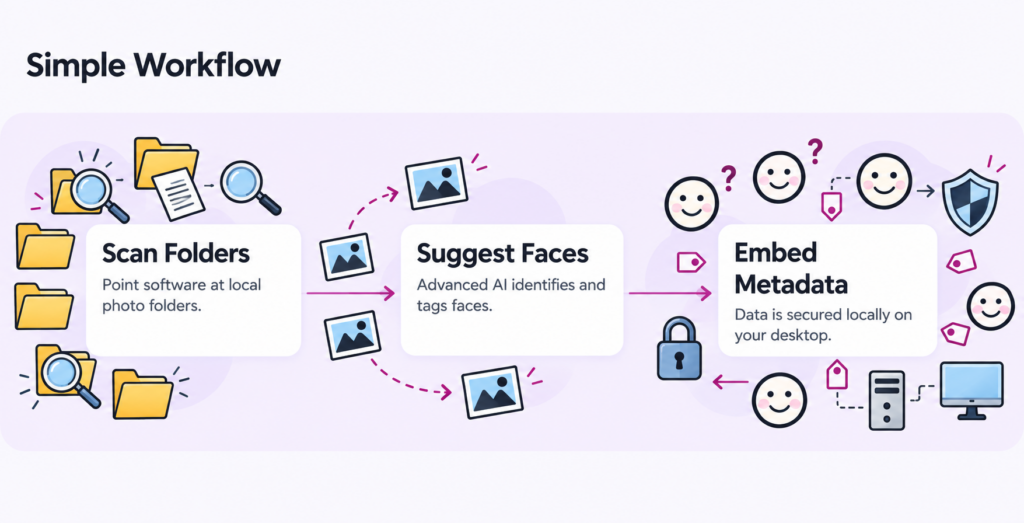
How Face Recognition Works
Three simple steps — no technical knowledge required.
Point it at your photo folders
Scans the photos already on your PC (JPG, PNG, TIF) at about 3,000 photos per hour.
Name a face once
Tag someone a few times and Tag That Photo learns who they are.
Accept the suggestions
It finds that person across your whole collection and suggests matches. Tag one photo at a time or in batches.
Your Photos Stay on Your Computer
Tag That Photo isn't a cloud service. Your photos, faces, names, and tags are stored locally on your own PC. We don't upload your pictures, and we never sell your data. Keep your photos wherever you already keep them — Tag That Photo works alongside your existing folders and editing tools.
- No cloud upload
- No data sold
- Works with your existing folders
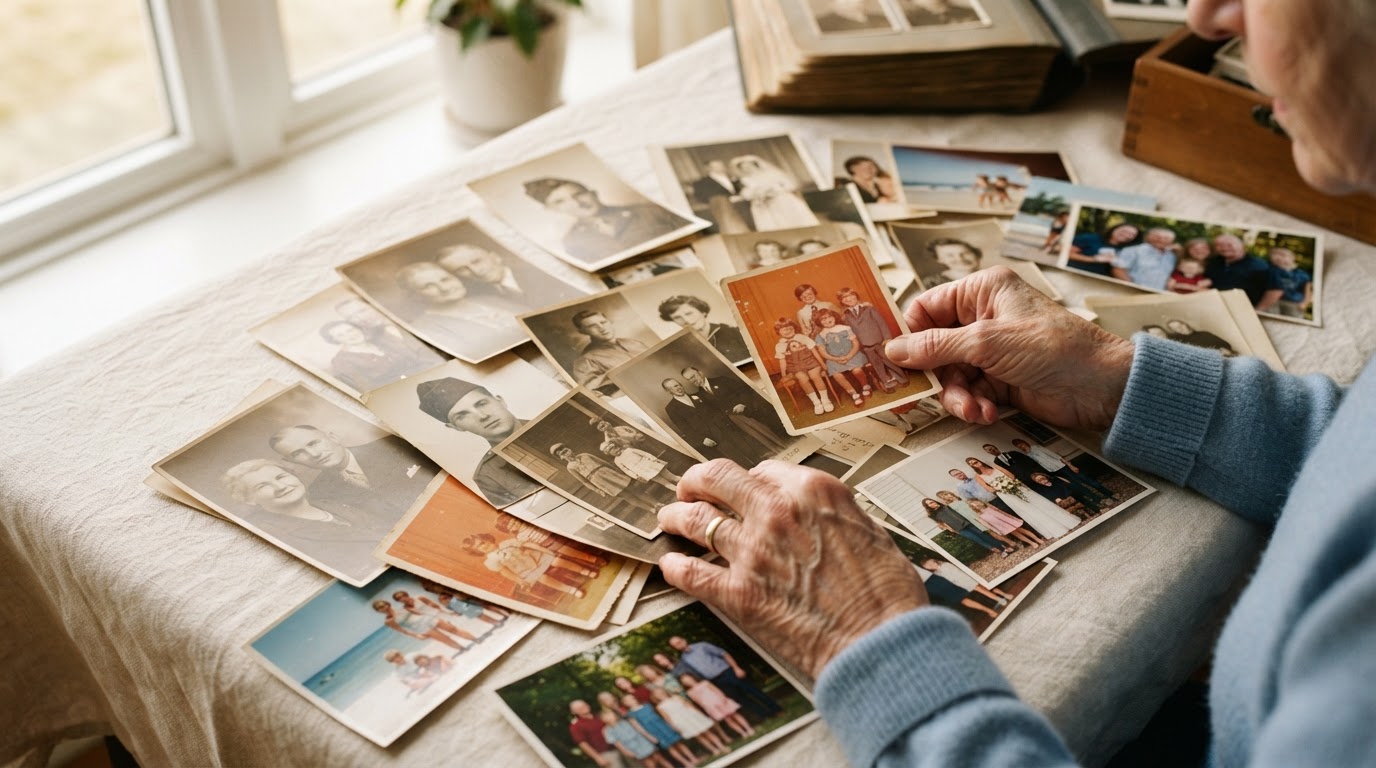
Names That Travel With Your Photos — For Generations
Tag That Photo can write names directly into the photo file using industry-standard XMP metadata. Share a photo with a cousin, upload it to Ancestry or FamilySearch, or move it to a new computer — the names go with it. No more boxes of photos where nobody remembers who's who.
Search by person
Search by person — include or exclude people with ease
Filter by date & folder
Quickly filter by date and folder to locate exact moments
Picasa & Photo Gallery
Imports existing Picasa and Microsoft Photo Gallery face tags automatically
What Our Users Say
Discover how Tag That Photo has transformed photo management for family archivists, genealogists, and historians.
"Love your program. Had lots of time invested in Microsoft Photo Gallery tagging people and this replacement is awesome."

William D.
April 2025
"I am always impressed by how fast you respond to client support issues. Your answers are always easy to understand. Love your product – I've become the family archivist with thousands of photos. The ability to easily tag photos has been so helpful to my extended family as they search the photos."

Gretchen B.
May 2024
"I have spent years scanning old family photos, scrapbooks and slides. Thousands of them… Identifying and marking who each person is, is vitally important. Especially if we are to put them on Ancestry.com or Family Search. The process is easy and it works perfectly."

Heidi J.
November 2023
"Thanks so much! Latest version works perfect. The querying functions are absolutely unmatched. New identifying features are much appreciated. TTP really takes querying pictures to the next level!!"

Mike C.
September 2026
Get Your Free License and Download
On a Mac?
Tag That Photo currently runs on Windows only. A Mac-friendly version is on our roadmap — leave your email and we'll let you know when it's ready.
How It Works
Three quick steps to start tagging faces in your family photos.
- Step 1. Enter your name and email
We'll send your free license file to this address.
- Step 2. Install Tag That Photo on your Windows PC
The download starts on the next page. It takes about two minutes.
- Step 3. Double-click your free license file
We email it to you. Double-click it after installing, and start tagging.
Start Free. Upgrade Only If You Need More.
The free plan includes most features of the paid plans and never expires — perfect for a birthday, wedding, or anniversary album.
Free Plan
$0 forever
- Face recognition & suggestions
- JPG, PNG & TIF photos
- Tag up to 10 people
- Search & filter tools
Pricing Plans
Need more people or iPhone and Raw photos? Upgrade whenever you're ready — anytime from inside the app, no reinstall needed.
Personal Lite
$19 / yr
Suitable for most family tagging projects.
- Up to 100 names
- JPG, TIF, PNG Image Types
- Faster support
Premium
$39 / yr
Perfect for advanced users needing 100+ people tagged.
- Unlimited names
- All supported image types (incl. HEIC & Raw)
- Faster support
Family Plan
$59 / yr
Multiple computer licenses for a family tagging project.
- 3 licenses
- Unlimited names
- All supported image types
- Faster support
Frequently Asked Questions
Is it really free?+
Yes. The free plan never expires. It covers up to 10 named people and JPG, PNG and TIF files.
How do I activate my free license?+
We email you a license file. After installing Tag That Photo, double-click the file and your free license is activated.
I didn't get the license email.+
Check your spam or promotions folder. Licenses are limited to one per email address.
Does it upload my photos?+
No. Everything stays on your computer.
Does it work on Mac?+
Not yet — Windows 10 and 11 only. Join the Mac waitlist above.
Will it move or change my photos?+
No. Your photos stay in their folders. Names can optionally be saved inside the file as standard metadata.
Can I import my old Picasa or Photo Gallery tags?+
Yes, existing XMP face tags are imported automatically.
Every family photo deserves a name.
Download Tag That Photo free today and bring your family archive to life.